Module 3 Formstorming

Weekly Activity Template

student name put a description here or you will lose grades


Project 3


Module 3

PLACEHOLDER TEXT, put a description here or you will lose grades

Activity 1
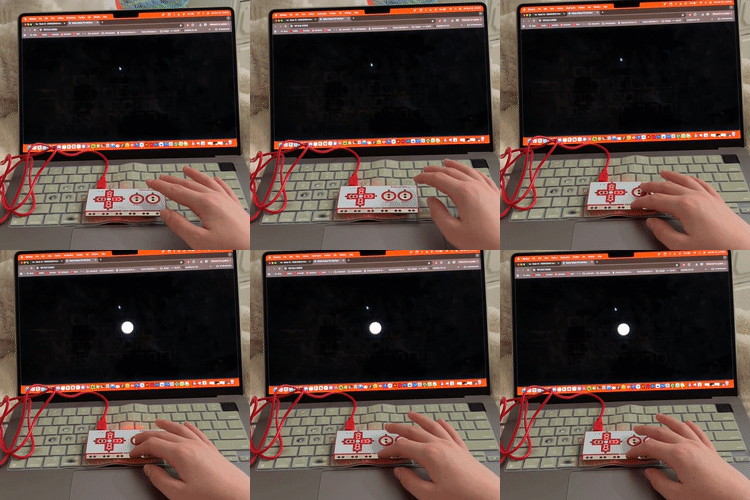
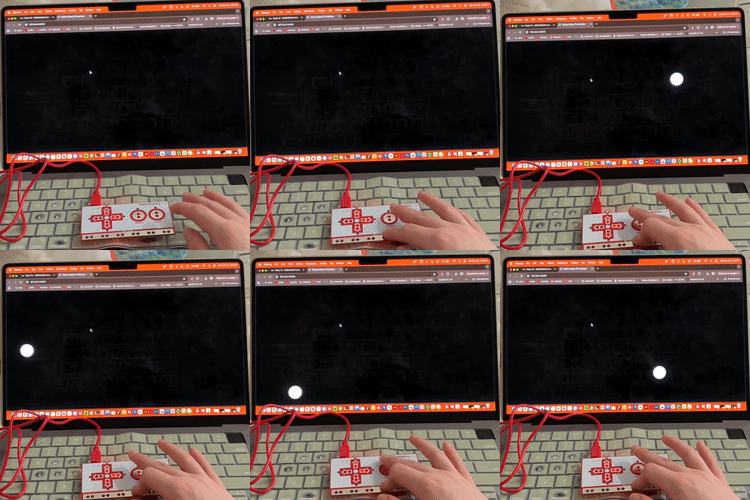
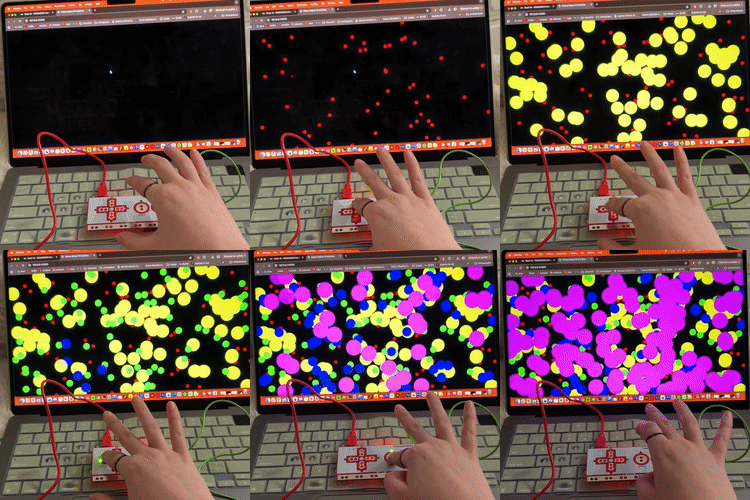
I started with a single circle appearing on screen to understand how p5 connects to the Makey Makey. I used keyPressed() to trigger an ellipse so I could see how input directly affects visuals. I  made circles appear randomly with each tap by using random(width) and random(height) for positioning.
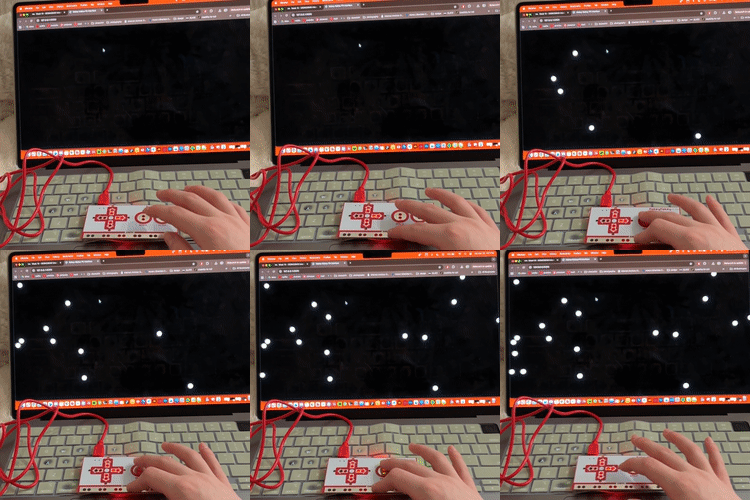
I changed it so every tap creates a circle that stays on screen by storing positions in an array and drawing them in draw().
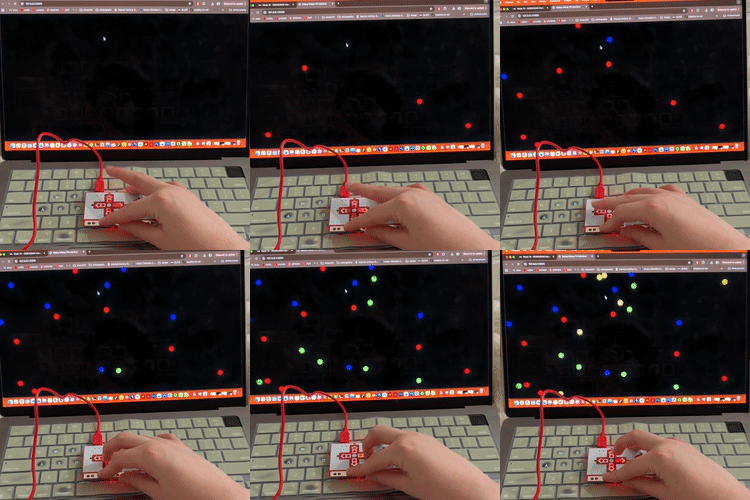
I mapped each key to a different colour using if (keyIs()) and fill(r,g,b). This built on the template but showed how I can assign different outputs to different inputs.
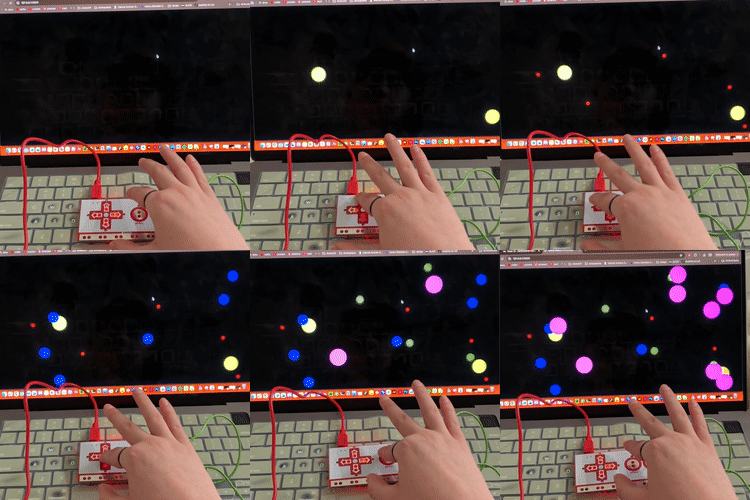
I also mapped different circle sizes to each key using conditionals and changing the size parameter in ellipse(). This helped me understand how multiple properties can be controlled at once.
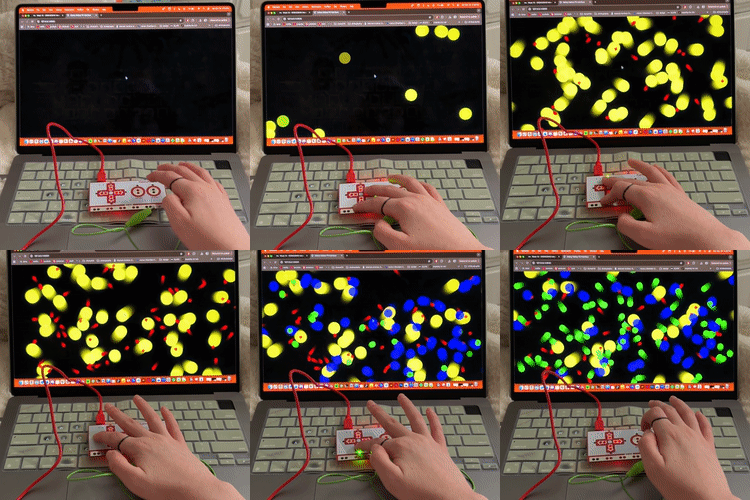
I switched from keyPressed() to keyIsDown() so holding a key continuously triggers changes. This made the interaction feel more responsive and less like annoying to interact with in this case.
I added movement by adding different velocity variables and updating position every frame. I also added trails using background() and lowered opacity in fill() to stylize it.
I simplified it to one circle and added edge bouncing upon finding a tutorial, which uses conditional checks with if (x > width || x < 0) and reversing velocity. Pressing multiple keys at once created overlapping logic, which resulted in a glitch effect.
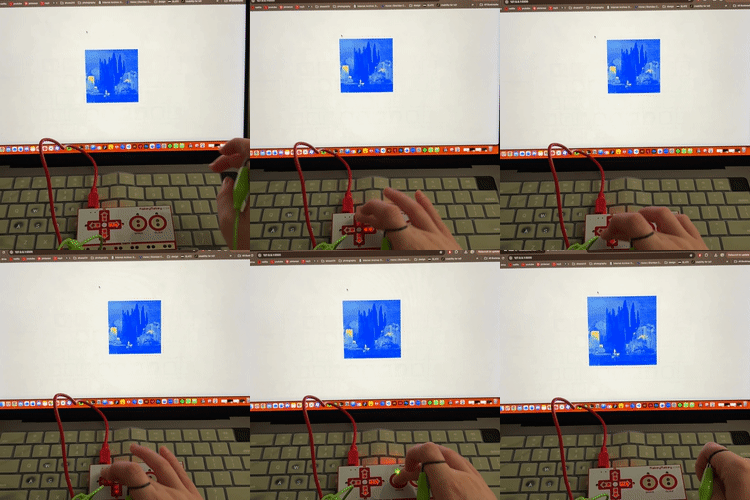
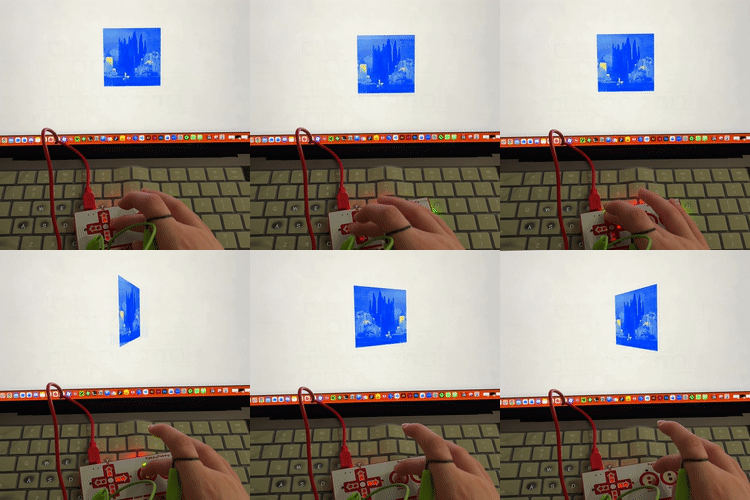
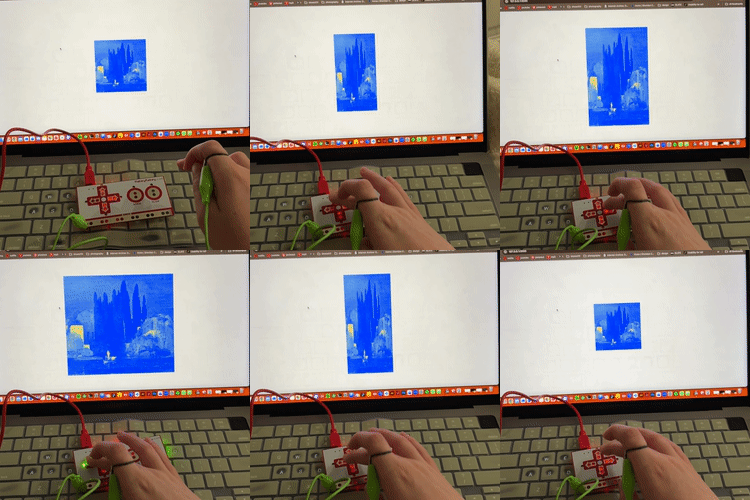
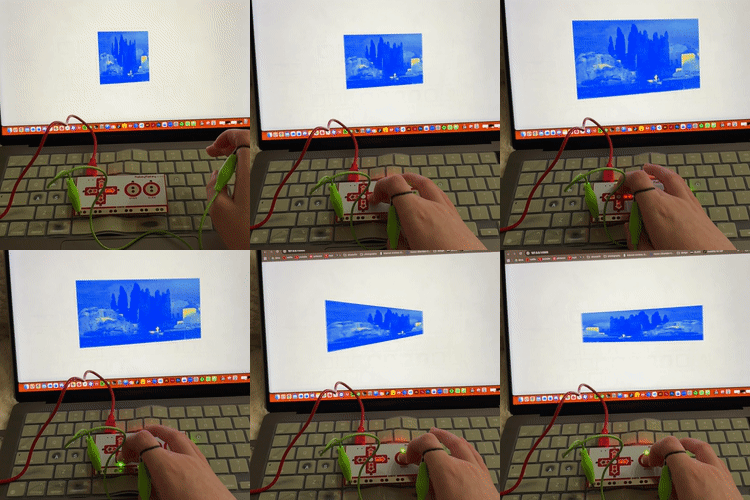
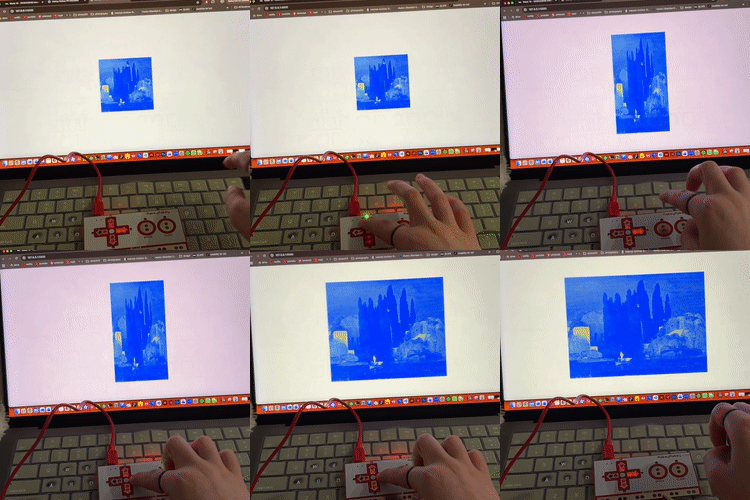
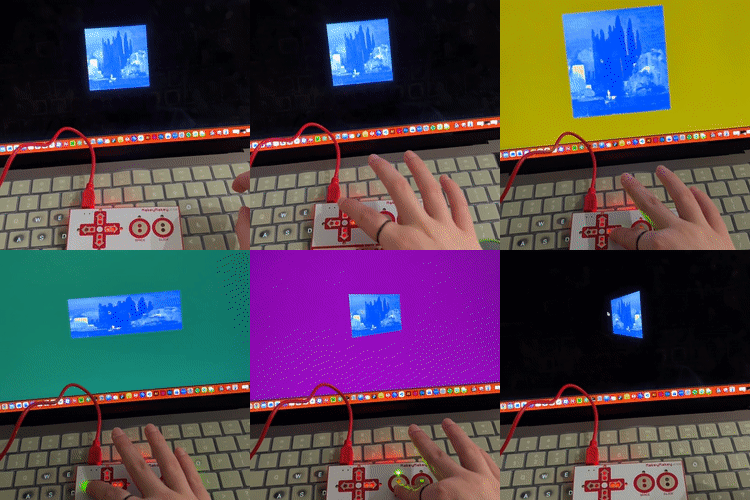
I created a new sketch that contains an image and loadImage(). I used translate() with arrow keys to move it, and space to zoom by adjusting a scale variable, inspired by the sketch4 template. I added rotation using rotate() tied to the space key, which helped me try out some more transformation functions and consider their relation with the Makey Makey. I expanded into distortion by using scale() with different values depending on arrow key input, stretching the image horizontally or vertically.
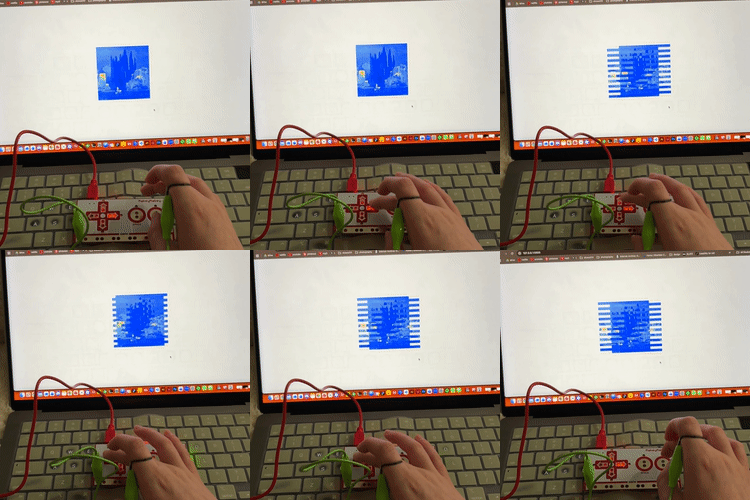
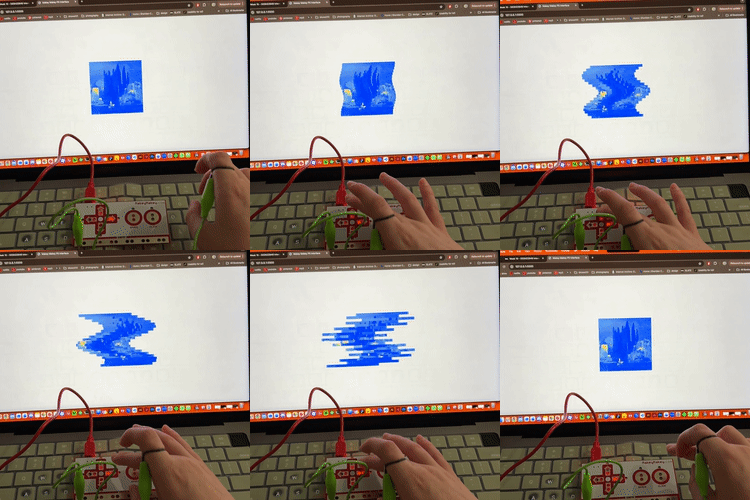
I experimented with slicing by drawing parts of the image separately using copy() and shifting them based on key input.
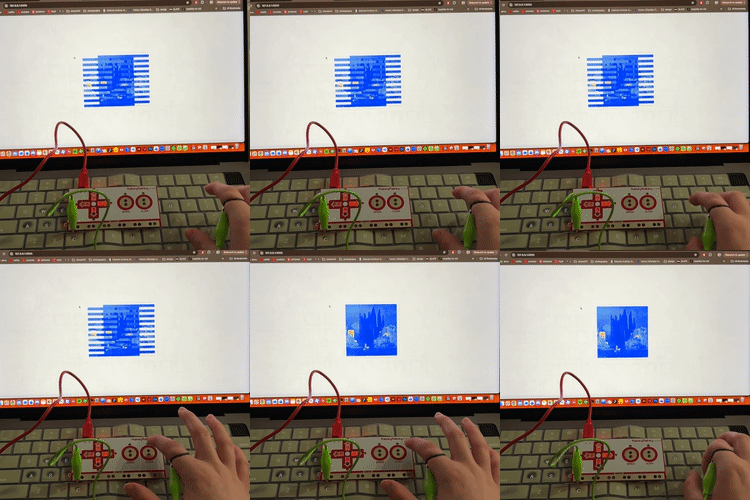
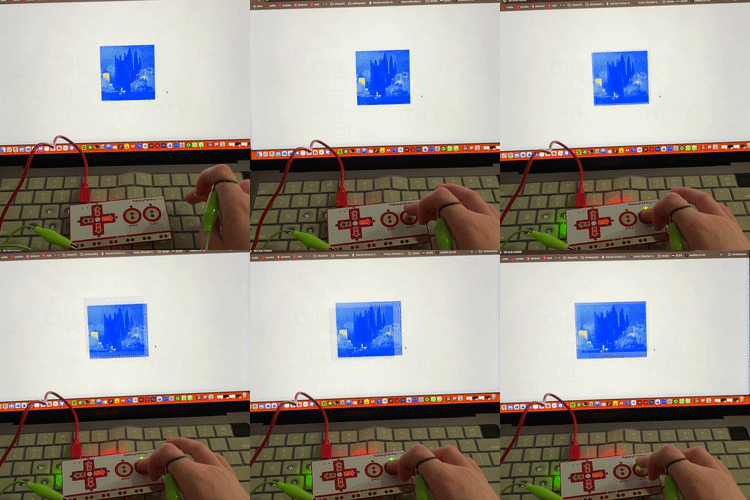
I added a reset using the click input through mousePressed(), resetting all variables back to default.
I combined slicing with a wave effect using sin() to offset parts of the image, and mapped up/down keys to increase or decrease the wave intensity. I again used keyIsDown() to make all effects continuous while holding keys instead of tapping. I added a rumble/glitch effect using random() inside translate() so the image shakes when the click input is triggered.
I introduced background colour changes using background(r,g,b) tied to key input, expanding interaction beyond just the object.
I changed the background by using lerp() and constrain() to make colour transitions smoother and more visible.
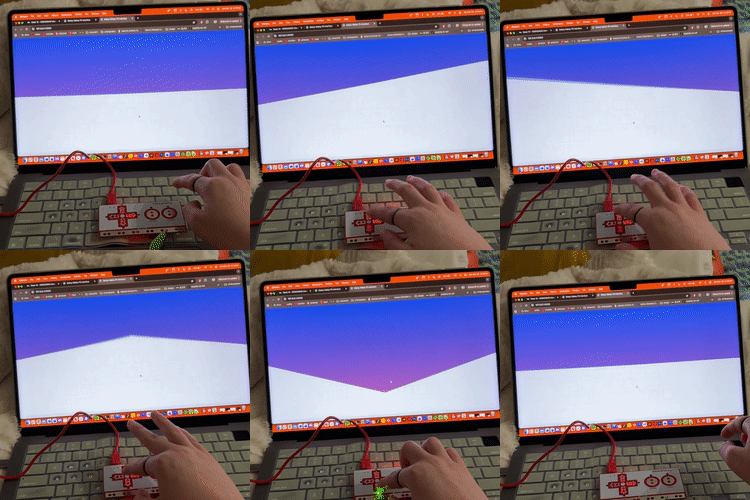
I created a gradient by looping through y values and using lerpColor() to draw lines across the screen. I used key input to shift the gradient’s centre and tilt it using mapping and offsets.
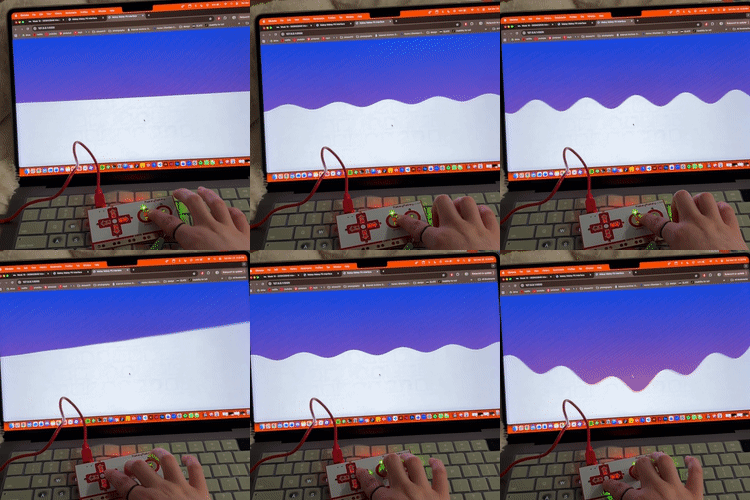
I added a ripple effect using sin() over time (frameCount) and layered it with the gradient system to create more complex motion.
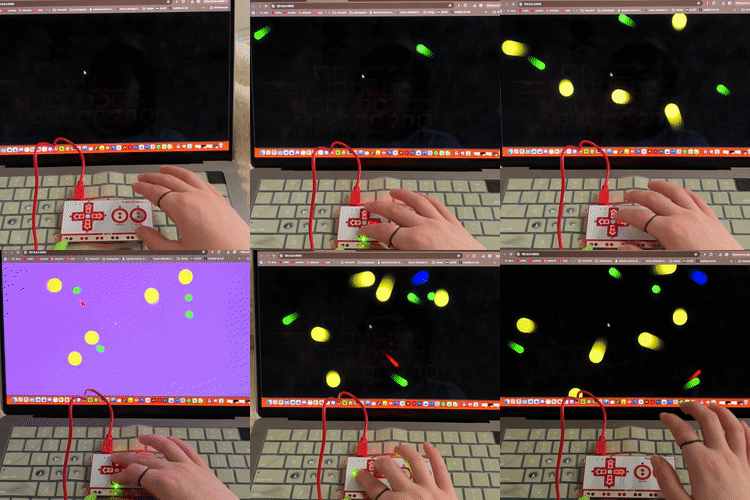
I moved into sound using p5.PolySynth() and triggered notes with poly.play() for each key. I also used p5.Amplitude() to analyze sound levels and connect them to visuals. I built this off of the sketch5 and sketch6 templates from the tutorial.
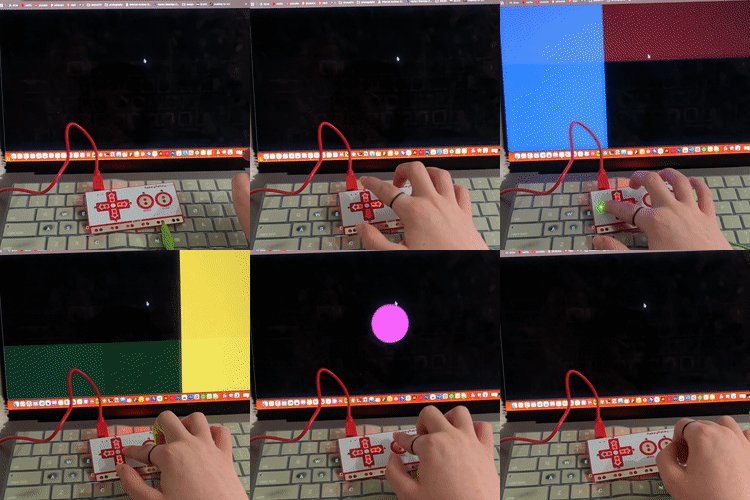
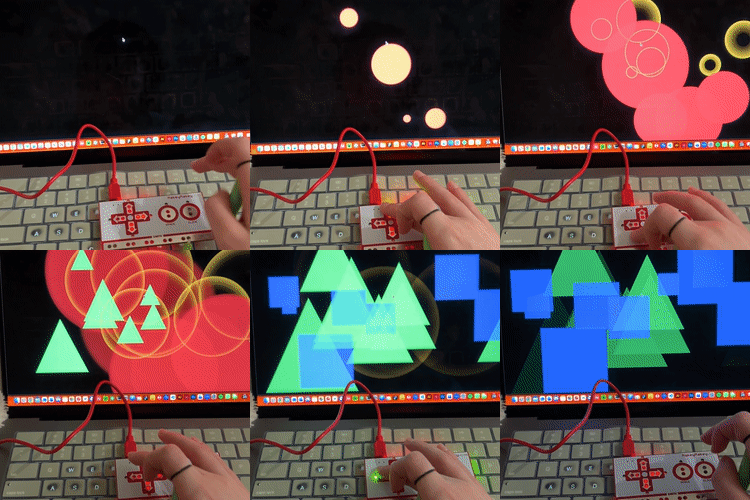
I created a system where different shapes spawn randomly using arrays and random() positions. Each key triggered a different shape and note, and holding keys increased frequency of them appearing.
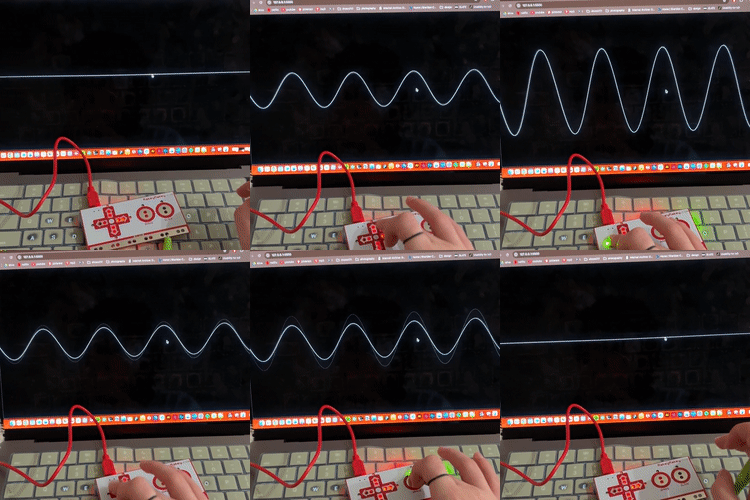
I created a waveform using sin() and mapped amplitude to its height with map(), so the visual reacts directly to sound input.
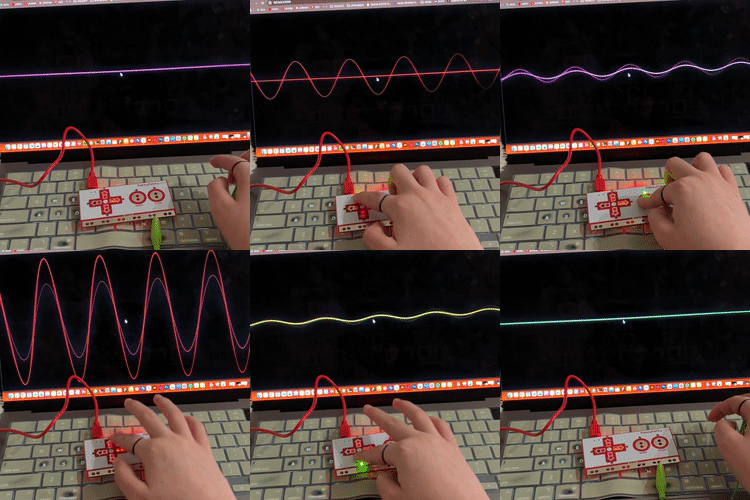
I added colour changes using stroke() based on key input.
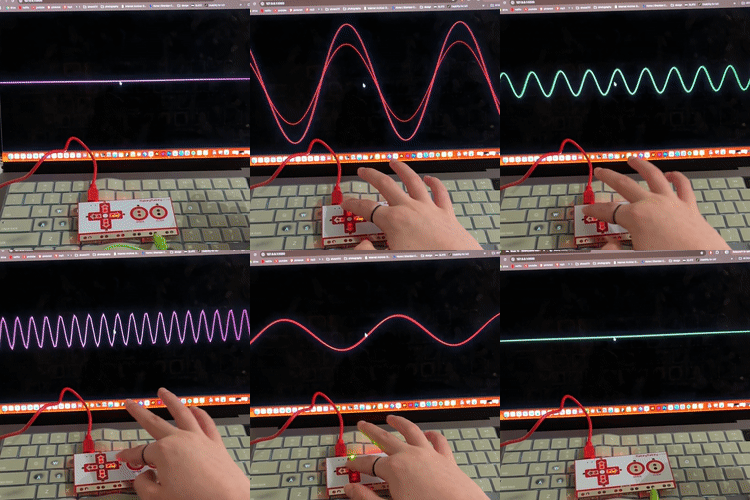
I made it so the waveform changes both shape (via frequency adjustments) and colour depending on the key. This made the system more expressive and responsive overall.

Activity 2

put a description here or you will lose grades put a description here or you will lose grades put a description here or you will lose grades put a description here or you will lose grades put a description here or you will lose grades put a description here or you will lose grades put a description here or you will lose grades put a description here or you will lose grades put a description here or you will lose grades put a description here or you will lose grades put a description here or you will lose grades put a description here or you will lose grades put a description here or you will lose grades put a description here or you will lose grades put a description here or you will lose grades put a description here or you will lose grades put a description here or you will lose grades put a description here or you will lose grades put a description here or you will lose grades put a description here or you will lose grades put a description here or you will lose grades put a description here or you will lose grades put a description here or you will lose grades put a description here or you will lose grades put a description here or you will lose grades

Project 3


Final Project 3 Design

PLACEHOLDER TEXT, replace this with an actual description

test2Lorem ipsum dolor sit amet, consectetur adipiscing elit
×

Powered by w3.css